Capture any webpage and turn it into study questions
Our free Chrome extension lets you select content from any webpage, PDF, or online textbook and send it straight to learnmy.ai to generate active recall questions.
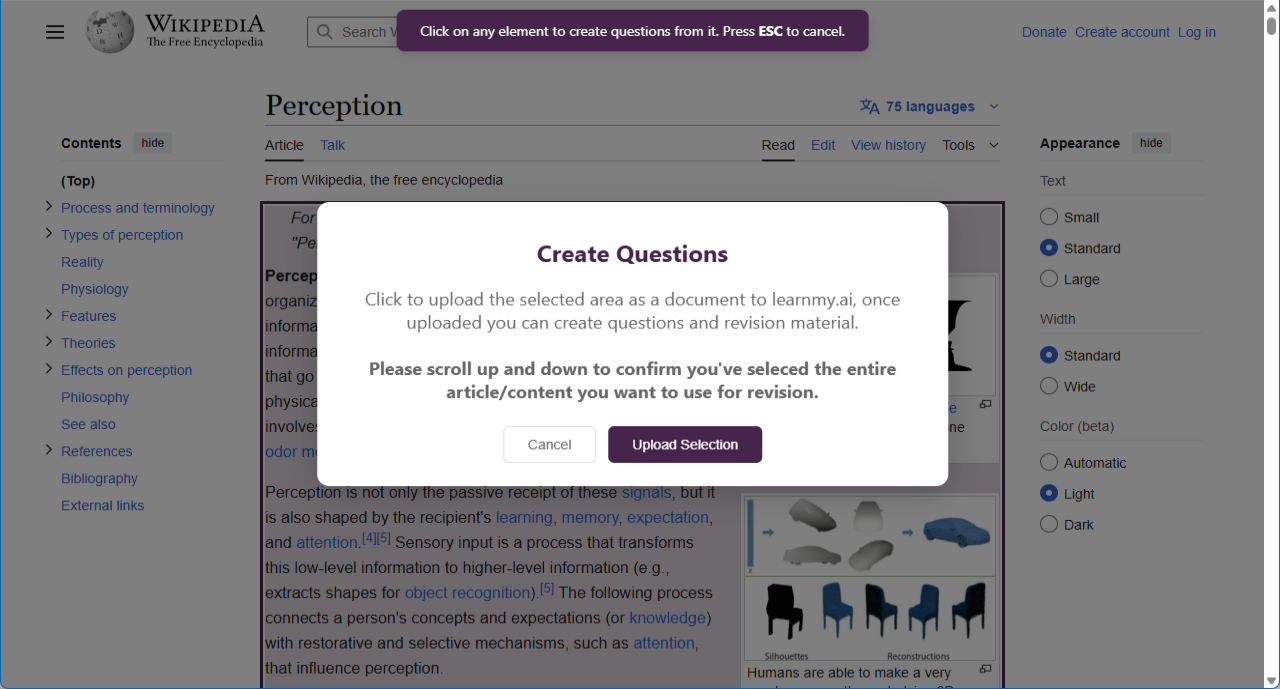
Watch how the extension works
Three steps to learn from any webpage
Whether it's lecture notes on your LMS, a Wikipedia article, or an online textbook - capture it and start learning in seconds.
Click the extension
Navigate to any webpage, online PDF, or LMS page. Click the learnmy.ai extension icon in your browser toolbar.
Select your content
Highlight specific sections of text, select entire pages, or grab PDFs displayed in your browser. Pick exactly what you want to study.
Upload to learnmy.ai
With one click, your selected content is sent to your learnmy.ai library. Generate questions and start practising active recall straight away.
Everything you need to capture study material
Select parts of webpages
Highlight the exact sections you want to study from any webpage. Whether it's a paragraph from Wikipedia, notes from your LMS, or a blog post - just select and send.
Capture PDFs from your browser
Viewing a PDF in your browser? Use the extension to upload it directly to learnmy.ai without downloading and re-uploading. Perfect for lecture slides and reading lists.
Works with your LMS
Whether you use Moodle, Canvas, Blackboard, or any other learning management system - the extension works on any webpage. Capture lecture notes, course materials, and readings directly from your university portal.
Straight to your library
Everything you capture goes directly into your learnmy.ai library, ready for question generation. No downloads, no file juggling - just seamless uploading.
Wherever you study online
Online textbooks
Capture chapters and sections from digital textbooks
Lecture notes
Grab notes and slides from your university LMS
Research articles
Turn journal articles and papers into study questions
Online PDFs
Upload PDFs viewed in your browser without downloading
Ready to study smarter?
Install the extension, capture your course material from any website, and start generating active recall questions in seconds.